A typical internet user may have dozens, if not hundreds, of online accounts. Email, banking, shopping, streaming services, work platforms, healthcare portals, and social media all require passwords. Security experts recommend using a different, complex password for every account, yet hardly any people can realistically remember that many unique combinations without writing them down or reusing the same password repeatedly.
This is where password managers enter the conversation. They promise to remember every password for you while keeping that information protected behind a single master password. At first, the idea sounds risky. If one application stores everything, wouldn’t it become the perfect target for attackers?
The reality is more nuanced. Password managers are built around security principles that are very different from simply saving passwords in a text document or spreadsheet. Understanding how they protect information, where their strengths lie, and what risks remain makes it much easier to decide whether they are the right solution for your digital life.
The Biggest Security Problem Usually Isn’t Technology
Many data breaches begin with something surprisingly ordinary: password reuse.
Imagine someone uses the same password for an online store, an email account, and a banking website. If the shopping website experiences a security breach and attackers obtain those login credentials, they may immediately try the same email address and password combination on many other services.
This technique, often called credential stuffing, succeeds because people naturally reuse passwords they can remember. The weaker the password or the more often someone reuses it, the greater the potential damage from a single compromised account.
Password managers address this problem by removing the need to memorize every password individually. Instead of asking users to remember dozens of complex combinations, they encourage storing unique passwords for every account while requiring only one strong master password to unlock the encrypted vault.
In practice, reducing password reuse is one of the biggest security improvements many people can make.
Think of a Password Manager as an Encrypted Vault
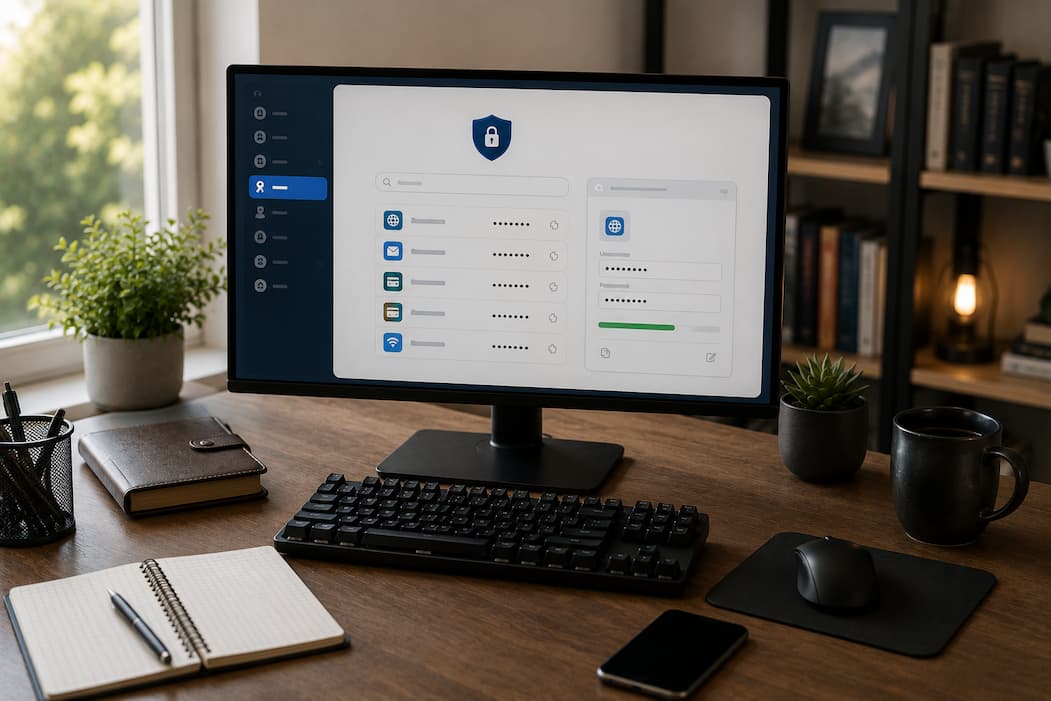
It helps to picture a password manager as a secure digital vault rather than a simple list of passwords.
When you save login information, the password manager doesn’t just place it into an ordinary database that anyone can read. Before being stored, the information is encrypted into a form that appears meaningless without the correct key.
Encryption converts readable information into encoded data using mathematical algorithms. Even if someone obtained a copy of the encrypted vault, they should not be able to read its contents without the necessary credentials to unlock it.
The vault can store much more than website passwords. Many password managers also organize usernames, payment details, software licenses, secure notes, Wi-Fi passwords, recovery codes, and other sensitive information in one protected location.
Although the user experiences the vault as a convenient password list, the underlying security model is designed to make unauthorized access significantly more difficult.
A diagram illustrating how a password moves from a website into an encrypted vault before being stored would help readers visualize this process.
The Master Password Holds Everything Together
Every password manager depends on one critical component: the master password.
Unlike ordinary account passwords, the master password is not simply another entry in the vault. Instead, it serves as the key that unlocks the encrypted database containing everything else.
This task creates an important responsibility. A weak master password undermines the protection of the entire vault, while a strong one provides a solid foundation for the encryption system.
Because of its importance, the master password should be both unique and memorable. Many security professionals recommend using a long passphrase made from unrelated words rather than a short password filled with predictable substitutions.
One common mistake is choosing a master password that resembles passwords already used elsewhere. Since the master password protects every stored account, it should never be reused on another website or online service.
Why Encryption Matters Even if Someone Steals the Database
People sometimes worry about what would happen if a password manager’s servers were compromised.
This concern is understandable, but modern password managers generally assume that attackers may eventually gain access to stored data. Rather than relying solely on server security, they also protect the vault itself through encryption.
Imagine locking important documents in a safe and then placing the safe in a warehouse. Even if someone entered the warehouse, opening the safe would still require the correct combination.
Encryption serves a similar purpose. The stored vault remains protected independently of where it is kept. Whether the encrypted data exists on your computer, smartphone, or cloud servers, it should remain unreadable without the appropriate encryption key.
This layered approach explains why security discussions often focus more on encryption quality and master password strength than on the physical location where the vault is stored.
What “Zero-Knowledge” Really Means
Many password manager providers describe their systems as using a zero-knowledge architecture. Although the term sounds highly technical, the basic idea is fairly straightforward.
In a zero-knowledge system, the design of the service provider prevents it from reading the passwords stored inside your vault. The company stores encrypted information, but only the user can decrypt it.
This means employees cannot simply look up customer passwords, even if they wanted to. The provider manages the service itself while the encrypted contents remain inaccessible without the user’s master password or associated encryption keys.
Of course, this approach also creates an important consequence. If the master password is forgotten and no recovery method has been configured, the provider may be unable to restore access because it never possessed the information needed to decrypt the vault in the first place.
Understanding this balance helps explain why password recovery works differently from many ordinary online accounts.
Password Generation Is Just as Important as Storage
Remembering passwords is only one part of the problem. Creating strong passwords consistently presents another challenge.
People naturally choose familiar words, meaningful dates, predictable keyboard patterns, or slight variations of previous passwords. Unfortunately, attackers know these habits and incorporate them into automated password-guessing techniques.
Password managers solve these issues by generating long, random passwords that are extremely difficult to predict. Since the software automatically remembers these passwords, users no longer have to sacrifice security for memorability.
For example, there is little reason to reuse a favorite password across multiple websites when the password manager can create an entirely different random password for every account and retrieve it whenever needed.
This approach dramatically limits the damage caused if one website experiences a security breach because compromised credentials cannot easily be reused elsewhere.
Your Passwords Can Follow You Across Multiple Devices
Most people no longer rely on a single computer. Logging into the same accounts from a desktop computer, laptop, smartphone, and tablet has become completely normal.
Password managers simplify this experience by synchronizing encrypted vaults across devices. Instead of manually updating passwords everywhere, users simply unlock the vault on each authorized device.
The synchronization process itself is usually protected through encryption, ensuring that the stored information remains unreadable while moving between devices or residing on remote servers.
Whether you’re using Windows at work, a MacBook at home, an Android phone while traveling, or an iPhone during everyday activities, the goal remains the same: providing secure access to your credentials without encouraging password reuse or insecure storage methods.
For most users, this combination of convenience and strong password management is one of the primary reasons password managers have become increasingly popular.
| Password Storage Method | Convenience | Security | Suitable For |
|---|---|---|---|
| Password Manager | High | High when configured properly | Users with many online accounts |
| Browser Password Storage | High | Good for many everyday users, but depends on browser security and account protection | General browsing across trusted devices |
| Written Notebook | Low | Depends entirely on physical security | Limited offline reference in controlled environments |
A Password Manager Is Stronger When Combined With Multi-Factor Authentication
A password manager significantly improves password security, but it should not be viewed as the only layer of protection.
Multi-factor authentication (MFA) adds another requirement before access is granted. Even if someone somehow learns your password, they may still need a temporary verification code, a security key, or approval from one of your trusted devices.
This is especially valuable for protecting your password manager. Since the vault contains credentials for many accounts, enabling MFA on the password manager can make unauthorized access much more difficult.
Many people already use authentication apps or security keys for important services such as email or banking. Applying the same protection to the password manager creates another barrier that attackers must overcome before reaching the stored passwords.
Rather than replacing passwords, MFA complements them by reducing the risk associated with stolen credentials.
Cloud-Based and Offline Password Managers Take Different Approaches
Not every password manager stores information in the same way.
Cloud-based password managers synchronize encrypted vaults across devices through secure online services. This makes it easy to update a password on one device and have the change automatically appear on your laptop, phone, and tablet.
Offline password managers keep the encrypted vault primarily on local devices unless you choose your own synchronization method. Some people prefer this approach because they want direct control over where the encrypted database is stored.
Neither model is automatically safer than the other. The better choice depends on how someone uses their devices, how often synchronization is needed, and how comfortable they are managing backups themselves.
For most people with multiple devices, cloud synchronization provides valuable convenience without sacrificing the encryption principles discussed earlier. Others may prefer an offline solution if they rarely switch devices or have specific security policies to follow.
Browser Password Storage and Dedicated Password Managers Are Not Identical
Modern web browsers include built-in password-saving features, leading many people to wonder whether a separate password manager is still necessary.
Browser-based password storage has improved considerably over the years. It integrates naturally with websites, offers password generation often, and can synchronize through browser accounts across multiple devices.
Dedicated password managers, however, usually provide broader capabilities. They often organize secure notes, payment information, software licenses, recovery codes, identity documents, and other confidential records alongside passwords. Many also offer more advanced sharing options, detailed security reports, and flexible organization tools.
For someone who mainly browses on one or two trusted devices, browser storage may meet everyday needs. Users with many accounts across different operating systems or those needing additional security features may find a dedicated password manager more suitable.
The decision depends less on which option is universally better and more on how your digital life is organized.
No Security Tool Removes Every Risk
Password managers solve important problems, but they are not immune to every possible threat.
If someone installs malicious software capable of recording everything typed on a keyboard, a password manager alone cannot prevent that information from being captured. Likewise, phishing websites that successfully convince users to enter credentials voluntarily remain dangerous regardless of where those passwords are stored.
Another risk involves the master password itself. If the master password is weak, reused on another service, or shared with someone else, the vault’s protection becomes much less effective.
Keeping operating systems updated, recognizing fraudulent websites, using trusted software, enabling MFA, and protecting the master password all remain essential parts of overall digital security.
Understanding these limitations helps set realistic expectations instead of viewing any security product as a complete solution.
What Happens If You Forget Your Master Password?
This is one of the most common questions people ask before adopting a password manager.
Because many password managers use strong encryption and zero-knowledge principles, forgetting the master password can have serious consequences. In many cases, the provider cannot simply email you the original password, as it does not store it in a readable form.
To reduce this risk, many services allow users to configure recovery options in advance. These may include emergency recovery contacts, recovery keys, trusted devices, or other account recovery mechanisms, depending on the provider.
The safest approach is to create a strong but memorable master password and carefully follow the recovery guidance offered during setup. Spending a few extra minutes preparing recovery options can prevent significant frustration later.
Small Habits Make Password Managers More Effective
Installing a password manager is only the beginning. Daily habits determine how much security benefit it actually provides.
One useful habit is updating old reused passwords whenever you sign in to an existing account. Rather than trying to change every password in one afternoon, gradually replacing weak credentials over time makes the process much more manageable.
It is also worth reviewing stored accounts occasionally. Old accounts that you no longer use still pose potential security risks if you leave them active. Closing unnecessary accounts and removing outdated credentials keeps the vault organized and reduces unnecessary exposure.
Finally, resist the temptation to bypass the password manager by creating simple passwords that are easier to remember manually. The entire purpose of the vault is to eliminate that compromise.
Choosing the Right Approach Depends on Your Needs
The best password management strategy is not identical for everyone.
Someone with only a handful of online accounts may find browser-based password storage entirely adequate, especially when combined with a strong device password and multi-factor authentication.
A remote worker who regularly switches between Windows, macOS, Android, and iPhone devices may appreciate the flexibility of a dedicated password manager that keeps credentials synchronized across platforms.
Families often benefit from secure sharing features that allow selected passwords, such as streaming accounts or Wi-Fi credentials, to be shared without sending them through email or messaging apps. Small businesses may require administrative controls, shared vaults, and access management that extend beyond personal use.
Evaluating your workflow usually produces a better decision than choosing software solely because it appears on a list of recommendations.
| User Type | Password Management Approach | Primary Benefit |
|---|---|---|
| Student | Browser storage or dedicated password manager | Easy access to growing number of accounts |
| Home User | Dedicated password manager | Unique passwords with simple organization |
| Family | Password manager with secure sharing | Safe sharing of selected credentials |
| Remote Worker | Cross-platform password manager | Consistent access across multiple devices |
| Small Business | Business-focused password manager | Shared access controls and account management |
Conclusion
Password managers exist because modern online life has outgrown the idea that people can safely remember dozens of unique, complex passwords. They make it possible to use different passwords for each account without having to remember them all by storing them in an encrypted vault that is protected by a strong master password.
Their security comes not from hiding passwords but from protecting them through encryption, thoughtful authentication, and careful design principles such as zero-knowledge architecture. While no security tool can eliminate every risk, combining a password manager with multi-factor authentication, regular software updates, and good browsing habits creates a much stronger defense against common online threats.
The goal is not simply to make logging in more convenient. It is to reduce password reuse, improve account security, and give users a practical way to manage an increasingly complex digital life.
Frequently Asked Questions
1. Are password managers safer than reusing the same password?
Yes. Using unique passwords for every account greatly reduces the impact of a breach affecting one website. Password managers make this process practical by remembering those passwords for you.
2. Can someone see my passwords if the password manager’s servers are compromised?
Well-designed password managers store encrypted vaults rather than readable passwords. Without the necessary encryption keys and your master password, the stored data should remain unreadable.
3. Should I still use multi-factor authentication if I have a password manager?
Yes. MFA provides an additional layer of security that protects both your password manager and your individual online accounts.
4. What happens if I lose my phone?
If your password manager synchronizes across devices, you can usually regain access from another authorized device after completing the required authentication steps. Recovery options vary between providers.