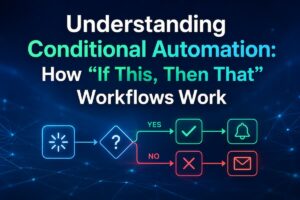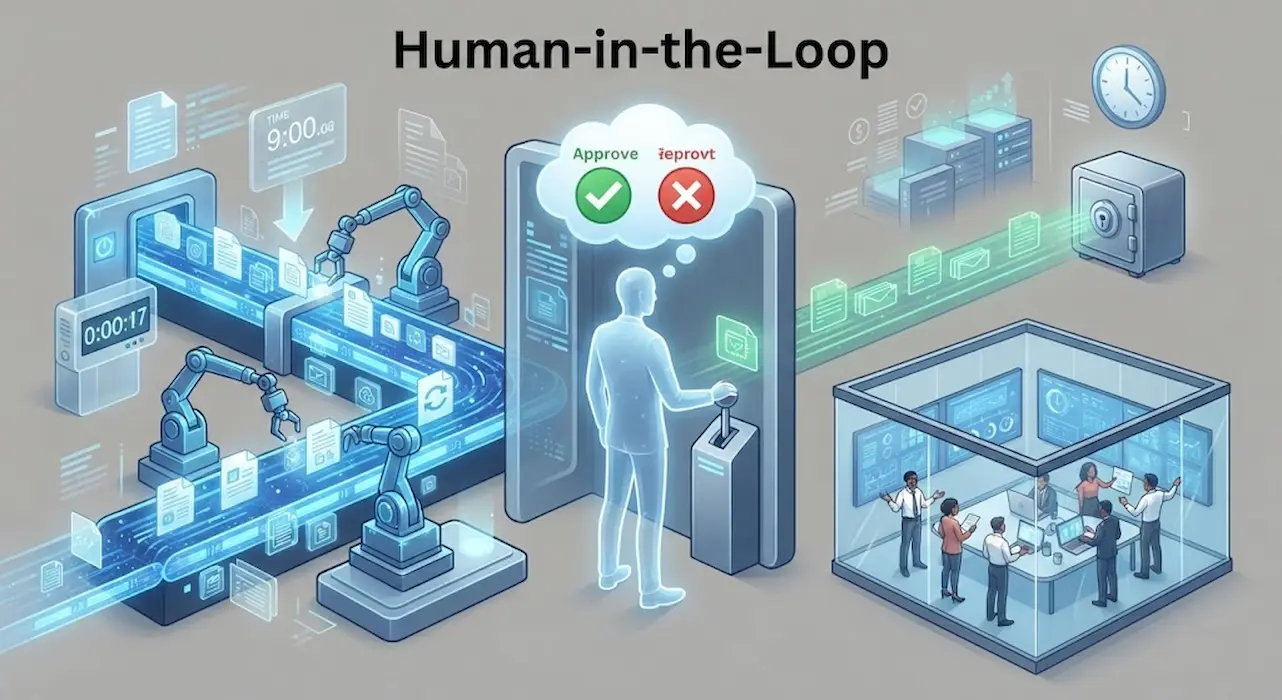
Automation is usually praised for removing unnecessary decisions. A reminder appears without being created manually, a file moves into a folder, a report is generated on schedule, or a routine message is prepared without someone having to repeat the same steps. But removing a human decision is not always an improvement. Some actions have consequences that are difficult to reverse, depend on information the automation cannot fully understand, or could affect someone other than the person who created the workflow. In those situations, the best automation may not be one that acts silently. It may be one that stops briefly and asks for confirmation. The challenge is knowing where that boundary belongs, because asking for approval too often defeats the purpose of automation while asking too rarely can turn a convenient workflow into a source of mistakes.
The Important Question Is What Happens If It Is Wrong
A useful way to decide whether an automation should ask for confirmation is to ignore how easy the action is and instead focus on the consequences of an incorrect action.
Moving an automatically generated temporary file into an archive is usually straightforward to undo. Sending a message to hundreds of customers is different. Deleting old files can be reversible if they go into a recycle area, but permanently deleting important records is much harder to recover from. Updating a personal reminder is relatively low risk, while changing a shared schedule can affect an entire team.
This scenario gives you a practical distinction:
Low consequence + easy recovery: automation can usually act without asking.
High consequence + difficult recovery: confirmation becomes much more valuable.
The amount of effort saved is not the only factor. The cost of a wrong decision matters just as much.
Not Every Uncertain Situation Needs A Human
It is tempting to make an automation ask whenever it encounters uncertainty. That sounds safe, but it can produce an endless stream of approval requests. If a person has to confirm every small decision, the workflow has not really removed much work.
The better approach is to identify uncertainty that actually matters. An automation may be unsure whether a file belongs in one of two folders, but if either destination can be changed later without consequences, there may be no reason to interrupt the user. On the other hand, uncertainty about whether to process a payment, public post, or sensitive document is much more important.
The goal is therefore not to eliminate uncertainty. It is to identify uncertainty with meaningful consequences.
Reversible Actions Can Usually Stay Automatic
Reversibility is one of the strongest signals that an automation can proceed safely without asking. If an action can be undone cleanly, the system can act independently with lower risk.
For example, an automation that adds a label to an email can usually operate without confirmation because the label can be removed. A workflow that moves a document between ordinary folders may also be allowed to act automatically if the original file remains intact. Creating a draft rather than sending a message is another useful example because the human can inspect the result before anything external happens.
A useful design principle is to make automated actions reversible by default. If you can correct a mistake without reconstructing lost information, the workflow has much more room to operate independently.
External Actions Deserve More Caution
The risk changes when an automation crosses the boundary between your private workspace and another person or service. Sending an email, publishing a post, submitting a form, changing a shared document, or triggering a transaction can create consequences outside the automation itself.
These actions may depend on context that is difficult to represent in a simple rule. A message can be grammatically correct but inappropriate for the recipient. A scheduled post can contain accurate information that is no longer suitable when the publication time arrives. A form can be completed correctly while still being the wrong one to submit.
For these actions, confirmation can act as a final human checkpoint. The automation still performs the repetitive work, but the person retains control over the moment when the consequence becomes real.
Confirmation Is Most Valuable At A Boundary
A useful way to consider confirmation is to place it at the point where an automated workflow changes state in a meaningful way.
For example:
Collect information → analyze it → prepare a result → ask for approval → publish or send
This approach is often better than asking for permission at every stage.
Suppose an automation gathers information from several sources and prepares a customer email. There may be little value in asking for confirmation while it collects the data or formats the draft. The important checkpoint is before the message leaves the system.
This keeps most of the workflow automatic while preserving human control over the consequential step.
Sensitive Information Changes The Calculation
An automation that handles ordinary information may be able to operate freely, while the same workflow should pause when sensitive material appears. The difference is not necessarily in the action itself but in what the action exposes.
A file-moving automation may be harmless until it encounters documents containing personal information. A routine sharing workflow may be fine until a file is being sent outside the intended organization. A summarization process may normally run unattended until the input contains confidential material that should not be distributed.
This suggests another useful rule: permissions and confirmation can be conditional. Instead of making the entire automation manual, allow normal cases to proceed automatically and require approval only when the workflow encounters a defined sensitive condition.
Money Is A Natural Confirmation Boundary
Financial actions deserve particular caution because mistakes can create immediate consequences that are difficult to reverse. An automation might calculate a total, prepare an invoice, identify an upcoming payment, or organize transaction information without human approval.
Actually moving money is different.
A useful workflow might therefore automate everything leading up to the transaction while stopping before the final action. The person can verify the amount, recipient, timing, and purpose before approving it. This retains much of the time-saving benefit without giving the automation unrestricted authority over a high-consequence decision.
The same principle can apply to purchases, refunds, transfers, and other actions where a mistaken execution is pricier than a missed automation opportunity.
Deletion Should Be Designed Differently From Creation
Creating something incorrectly is often easier to recover from than destroying something permanently. A badly generated report can usually be deleted. A permanently deleted source document may not be recoverable.
This makes deletion an important candidate for conditional confirmation. An automation might automatically identify files that appear unused, move them into a temporary archive, or mark them for review. It does not necessarily need permission to permanently destroy them.
A safer sequence can be:
Identify → quarantine → wait → confirm → delete
The waiting period allows the user to notice an incorrect classification. The automation still performs most of the tedious work, but it separates irreversible destruction from automatic detection.
Exceptions Are More Important Than The Normal Case
An automation can be extremely reliable during normal operation and still need a confirmation mechanism for unusual situations. Imagine a workflow that processes the same type of document every morning. If the expected file structure suddenly changes, blindly continuing may produce incorrect results.
Instead, the workflow can establish conditions under which it should stop. Missing data, unexpected file types, unusually large changes, unfamiliar recipients, duplicate records, or a result outside a normal range can all trigger review.
This approach is often better than designing the entire workflow around the rare exception. The normal path remains automatic, while the unusual path becomes human-controlled.
Use Thresholds Instead Of Constant Approval
Confirmation does not have to be a simple yes-or-no rule applied to every event. Thresholds can make automation much more practical.
For example, an automation might:
- Automatically process changes below a defined amount.
- Ask for approval when a transaction exceeds that amount.
- Automatically archive a small number of files.
- Ask for confirmation if hundreds of files suddenly qualify.
- Automatically send routine internal notifications.
- Require approval for messages going outside the organization.
Thresholds are useful because they reflect the scale of the potential mistake. A workflow that behaves identically, whether it is changing two records or twenty thousand, may be missing an important risk signal.
A Sudden Change Can Be More Important Than A Large Change
Size is not always the right threshold. An automation might normally process 100 files but suddenly encounter an entirely new file type. Another workflow might typically contact five recipients, but it could suddenly identify an unfamiliar external address.
These situations are valuable because they indicate that the current event does not resemble the conditions under which the automation was designed.
A confirmation request can therefore be triggered by novelty, not just magnitude. The question becomes: “Does this situation look sufficiently like the situations this workflow has handled safely before?” If the answer is no, a human checkpoint may be appropriate.
Confirmation Should Show The Decision, Not Just Ask For It
A poor confirmation prompt says:
“Are you sure?”
That forces the person to investigate the situation themselves.
A useful confirmation should summarize the consequences. For example:
12 files are ready to be permanently deleted. 10 match the normal archive pattern; 2 have not been modified for three years but are stored in a shared project folder. Review before deletion?
The second prompt provides the user something meaningful to evaluate. Good confirmation design reduces uncertainty rather than merely transferring the automation’s uncertainty to the human.
A Useful Confirmation Should Show
- What will happen
- How many items are affected
- Who or what will be affected
- Why the automation selected them
- Anything unusual about the current situation
- What happens if the user declines
This makes the human checkpoint a decision rather than another unexplained interruption.
Don’t Ask For Confirmation After The Risky Action
The timing of confirmation matters. Asking after an email has already been sent or a file has already been deleted does not count as confirmation. It is notification.
The checkpoint needs to occur immediately before the consequential action. Everything leading up to that point can often remain automated. The user should have enough information to make the decision and enough time to stop the action before it becomes difficult to reverse.
This sounds obvious, but poorly designed workflows sometimes place approval steps too early or too late. An early approval may become meaningless because circumstances change during later processing. A late approval may arrive after the important action has already occurred.
A Human Check Should Have A Clear Escape Route
If an automation asks for confirmation and the user does nothing, the system needs to know what happens next. Does it wait indefinitely? Retry? Cancel? Continue automatically after an hour?
For high-consequence actions, indefinite waiting may be safer than automatic execution. For low-risk tasks, automatic expiration might be reasonable. There is no universal answer.
The important thing is that the fallback behavior is deliberate. A workflow should not accidentally turn “no response” into “permission granted” simply because nobody noticed the request. Silence should have a defined meaning.
Too Many Confirmations Create Approval Fatigue
A confirmation request is useful only if people pay attention to it. If an automation asks for approval twenty times a day, users eventually learn to approve without reading.
This is called approval fatigue in practical terms: repeated requests become background noise. Once that happens, the confirmation mechanism loses much of its protective value.
A better workflow groups decisions whenever possible. Instead of asking separately about twenty similar low-risk actions, it might prepare them as one review batch. For genuinely important exceptions, however, an individual confirmation can remain appropriate. The value of a checkpoint depends partly on how infrequently it interrupts ordinary work.
Drafts Are A Powerful Middle Ground
One of the simplest ways to preserve human control is to automate preparation rather than execution. Instead of automatically sending a message, create a draft. Instead of publishing a report, generate it for review. Instead of deleting records, create a review list.
This approach is particularly useful when the automated system is good at gathering information and producing a result but less capable of judging context. The human does not need to repeat the mechanical work. They only need to make the final judgment.
It is a practical compromise between two extremes: doing everything manually and giving the automation complete authority.
Ask For Confirmation When The Human Knows Something The Rule Doesn’t
Automation works best when rules or data can reliably represent the relevant decision. Humans become more valuable when context is difficult to encode.
Consider a calendar automation that notices a scheduling conflict. It may know that two events overlap, but it may not know that one meeting is optional and the other is important. A file-processing workflow may identify two documents as duplicates but not know that one is an intentionally preserved historical copy.
These are particularly relevant situations for human confirmation because the person possesses context that the automation cannot reliably infer. The automation identifies the situation and prepares the options. The human supplies the judgment.
When Automation Should Act Without Asking
A confirmation checkpoint is probably unnecessary when the action is routine, reversible, low consequence, and governed by clear conditions. Automatic sorting of ordinary files, adding labels, generating a personal reminder, resizing a copy of an image, or preparing a draft are examples where interruption can create more work than protection.
The best automated workflows therefore do not maximize human involvement. They reserve it for decisions where human judgment actually adds something.
A useful test is:
If this automation makes the wrong decision, can I undo it easily, understand what happened, and correct it without losing important information?
If the answer is yes, automatic execution may be reasonable.
A Simple Risk Model Can Help
When designing a workflow, score the action informally across four factors:
| Factor | Lower Risk | Higher Risk |
|---|---|---|
| Reversibility | Easily undone | Difficult or impossible to undo |
| Impact | Only affects me | Affects others or external systems |
| Sensitivity | Ordinary information | Personal or confidential information |
| Uncertainty | Clear rule | Requires human context |
The more factors move toward the right side, the stronger the case for a confirmation step.
This does not need to become a complicated scoring system. Its value is in forcing the designer to consider consequences rather than focusing only on how technically easy it is to automate an action.
Build The Workflow Around Safe Failure
The strongest automations are not necessarily the ones that never stop working. They are the ones that know when stopping is safer than guessing.
A good workflow can keep running automatically in normal cases, make reversible outputs when possible, detect unusual conditions, save information before destructive actions, and pause when the consequences go beyond what the rules can safely handle. This turns confirmation from an annoying interruption into a deliberate safety mechanism.
The objective is not to make automation timid. The goal is to give it a clear boundary.
Automation Should Remove Repetition, Not Responsibility
Effective automation processes eliminate repetitive work while leaving crucial decisions to the most appropriate people. Every workflow is different. Routine documents can be sent automatically, but you may need to reconsider how critical information is sent. Publishing drafts does not necessarily need to be automated, whereas creating them often does.
Confirmation is particularly important when actions are difficult to reverse, affect people outside the workflow, involve sensitive data, occur outside normal circumstances, or depend on contexts the automation process might not fully grasp. Selective confirmation does not undermine automation; rather, it makes automated processes more reliable because the system knows when to stop assuming the rules are perfect.
FAQs:
Does every automated process require a confirmation step?
No. Frequent confirmations can make automated processes take almost as long as manual tasks. Confirmation is especially useful when actions have a significant impact, are ambiguous, or are difficult to reverse.
Is drafting better than automatically sending?
Yes, usually. By defining workflows, automation tools can handle the heavy lifting of preparation, while allowing users to review the context, recipients, wording, and sensitive content before the action is executed.
Should a bot ask the user for permission before deleting a file?
That depends on how the deletion is performed. Temporary or reversible deletions can be safely automated, whereas the permanent deletion of critical or questionable files is best handled with confirmation.
What happens if the user does not confirm the request? This indicates that the workflow may be overly demanding or is providing incorrect information. Reduce unnecessary checkpoints, consolidate similar options, and make the remaining checkpoints explicit enough for users to easily understand the risks.
Can automation programs verify only exceptional cases?
Yes, and this is often one of the best design approaches. Let routine processes run automatically and only request user approval when thresholds are reached, exceptional cases arise, new situations emerge, sensitive content is detected, or critical operations need to be performed.

Sunita Voss wanders through software like a city flâneur—observing, testing, occasionally getting lost, always finding shortcuts. She writes about digital minimalism, hidden web tools, and tech hacks with the patience of someone who enjoys the journey and the urgency of someone who values her time. No gurus. No gatekeeping. Just discovered paths.