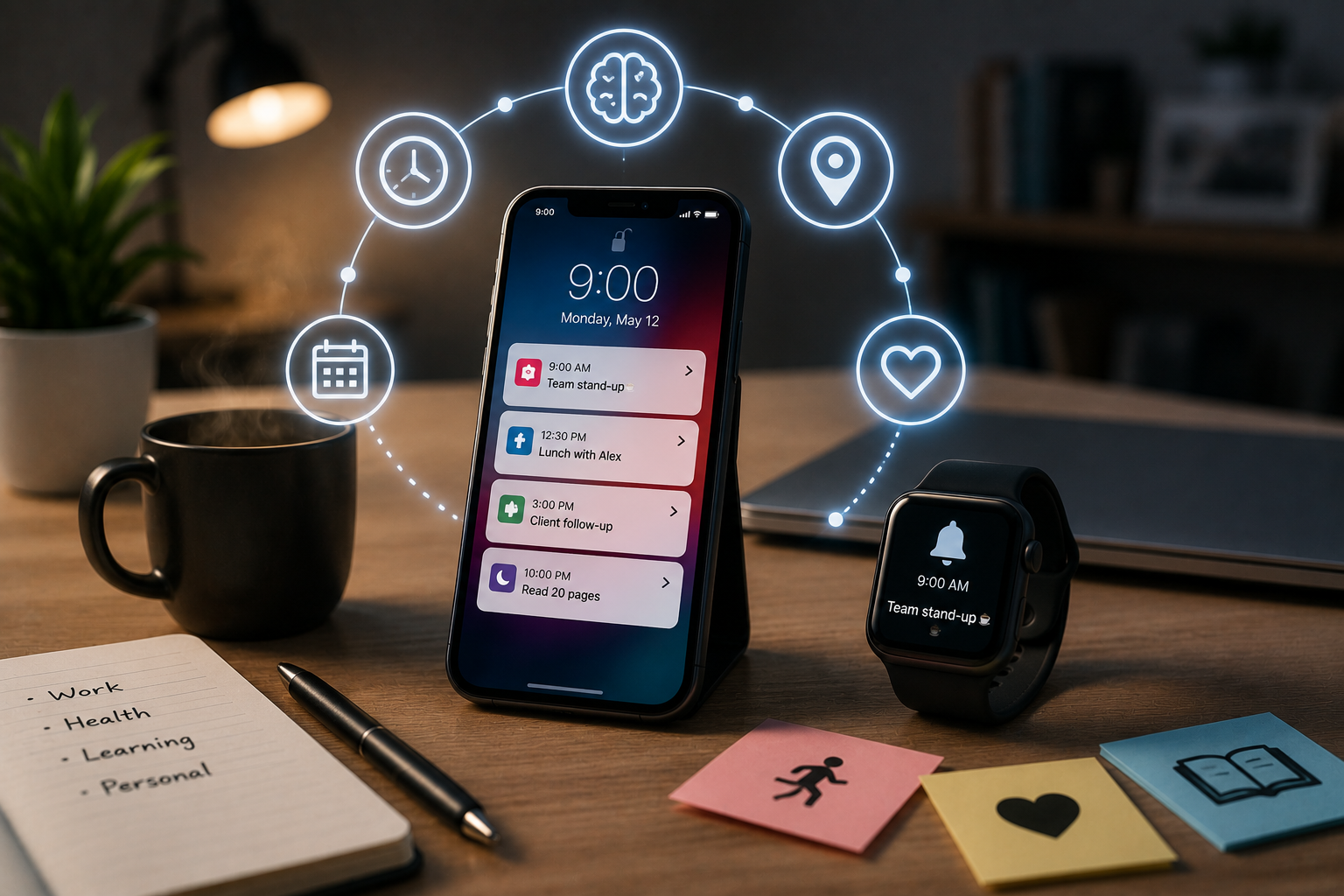
You set an alarm for me, shrug your shoulders, and then forget the task. Does that sound familiar? The problem doesn’t lie with your memory, but with the system. Most traditional reminder systems use a uniform approach, assuming that notifications, pop-ups, or notes work equally well for everyone. But that is not the case. The human brain processes information in a very personal way; a reminder that works for one person may be totally ineffective for another. The key is not downloading the latest apps or buying new calendars to set reminders, but understanding how your brain works and designing a technology that “communicates” with you.
The Problem with Traditional Reminders
Traditional reminders are passive. They provide reminders at pre-set times, offer monotonous information, and assume that you are in a state to take action. If you are not, the reminder is ignored, postponed, or disappears among thirty other reminders. The result? Memory fatigue: more and more notifications are being filtered out by your brain because they are irrelevant to how you actually work. A study published in the journal *Applied Cognitive Psychology* showed that memories work best when they are context-dependent, for example, linked to a specific location, activity, or cue – and not just to a timestamp. This is something most systems completely overlook.
Understand Your Personal Productivity Style
Before adjusting your memory system, it is important to determine your primary information processing style. Cognitive psychology typically categorizes learners into three types: visual, auditory, and kinesthetic, but most people are a mix of two or more. Visual learners are sensitive to spatial arrangement, color, and layout. Auditory learners learn better through sound and spoken language. Kinesthetic learners focus more on movement, daily activities, and bodily signals. Understanding which style is dominant in your daily life can revolutionize how you create memories and how effective they are.
Visual Reminders for Right-brain Thinkers
Visual thinkers don’t just want to read tasks; they want to see the context. Textual notifications are ineffective. What is truly effective is the use of color-coded calendars, mind maps, whiteboards, and visual dashboards to present the day as a whole, rather than as separate parts. Tools like Notion and Trello excel at this. Color-coded boards help visual thinkers see their to-do list at a glance, without having to navigate through long lists. Physical aids work just as well: hanging a large calendar in a prominent spot in your workspace or placing color-coded sticky notes in high-traffic areas of the house creates environmental stimuli that text-based apps simply cannot match. Location is crucial for visual thinkers. A reminder only truly works if you see it hanging somewhere.
Audio and Kinesthetic Signals: Active Learners
Audio learners generally learn faster by hearing than by seeing. Voice cues (such as those from Siri, Google Assistant, or Amazon Alexa) are more effective than silent notifications. Speaking tasks aloud before writing them down, or recording a short voice memo, strengthens memory more effectively than reading. For kinesthetic learners, body patterns and habits are very effective. “For this group, the most effective memories are those integrated into existing habits, rather than memories that serve as distractions.” Another strategy is to create a physical trigger for the task: “When I drink my coffee in the morning, I go through my priorities for the day.” (This approach is based on what behavioral psychologists call ‘executive intention’.) Research by Peter Gollwitzer at New York University shows that people who use executive intention are 300% more likely to perform the intended action than people who only set goals.
Digital Tools Designed for Your Workflow
Not all productivity apps are the same. The right tool depends on your usage habits. For visually oriented people, Notion, Trello, and Google Calendar (with color coding and week view) are excellent choices. Voice-controlled technologies, such as Amazon Alexa routines or Apple Reminders with Siri integration, lower the barrier for auditory learners. Habitica turns completing tasks into a game, suitable for kinesthetic and habit-oriented learners. Streaks focuses on developing consistent daily behavior through visual chains. A heavily underestimated feature in most apps is location-based reminders. Google Keep and Apple Reminders both have geofencing functionality, which means a reminder appears when you arrive at or leave a specific location. If you always forget to pick up your clothes from the dry cleaner on your way home, a location-based reminder that appears when you leave the office is much more useful than an alarm you set for 5:00 PM while you are still working.
Integrate Memories into Your Daily Life
The best memory systems are those you don’t even notice are integrated into your daily routine. Habit stacking refers to the process of linking a new habit to habits you have already developed, a method popularized by James Clear in his book *Atomic Habits*. This means that for memories, you must link checking or ticking off a task to an automated behavior, such as locking a door, sitting at your desk, or making coffee. This method also works for physical memories. One way to eliminate electronic cues is to place a notebook next to the coffee machine or a gym bag by the door. The object itself becomes the memory.
The Science Behind Successful Remembering
Memory is not a passive storage system, but a reconstruction system. When you remember something, your brain reconstructs the memory based on environmental cues. That is why memories with meaningful contextual information (location, mood, or daily habits) are more effective than abstract, time-bound cues. Spaced repetition, an age-old strategy used in language learning, can be directly applied to recall for complex tasks. For example, viewing a task or information at increasingly longer intervals has a significant effect on memory compared to seeing it only once. This pattern is used in learning apps like Anki, but the same principle applies to any repetitive task you are inclined to ignore.
Customize your Recall Toolkit
A good recall system does not revolve around a single tool, but around a well-designed combination of tools. First, choose a core system that suits your way of processing information, and then add tools based on different scenarios. Visual thinkers might hang a calendar on the wall to keep track of the months, use Google Calendar to note daily schedules, and stick a Post-it on their monitor to write down the most important tasks of the day. The key is not to write everything down, but to reduce the cognitive load on your memory so that your brain can focus on action.
Combating Memory Fatigue
What is memory fatigue? Too many reminders compete for your attention. The solution is not to turn off all notifications, but to filter them carefully. Look at the things you are currently using to remind yourself and ask yourself: do these notifications really influence my behavior? Or am I simply not paying attention to them? Concentrate your reminders as much as possible. Instead of receiving random notifications throughout the day, choose one or two moments (such as in the morning and afternoon) to focus on checking all notifications. This reduces distractions and ensures that you don’t miss anything important. Turning off notifications from all unnecessary apps is also crucial. Research into attention and digital distraction often indicates that the mere presence of a notification, even without reading it, can impair cognitive ability for the current task.
Build a System for Your Brain
There is no universal memory system. The most effective system is tailored to your individual mindset—how you perceive, listen to, and process daily tasks. Start small: identify your main ways of processing information, choose a tool that suits you, and integrate it into your existing daily routine. Then adjust it as needed. The key to efficiency is not to cram more time into the day but to reduce the mental effort you spend on tasks, so that you can devote more energy to actually achieving your goals.
Frequently Asked Questions
1. What is memory fatigue? How do you prevent it?
Memory fatigue occurs when you receive so many notifications that your brain automatically starts to ignore them. To prevent memory fatigue, check your reminders regularly, schedule them within fixed time periods, and only keep reminders that directly influence your behavior.
2. What are the best memory methods for visual learners?
For visually oriented learners, color-coded calendars, whiteboards (such as Trello or Notion), and visual environmental cues (such as Post-it notes or large calendars in busy places) work best. The key is to treat tasks as spatial information, not just as a list of text.
3. Are location-based reminders better than time-based reminders?
For many, the answer is yes. Location-based reminders (such as those from Apple’s Reminders and Google Keep) are triggered based on your location, making the reminder’s content relevant to your actual location. For example, a reminder to call after you get home is more useful than a reminder for 6:00 PM set a few hours in advance.
4. What is habit stacking? What role do reminders play in it?
In his book *Atomic Habits*, James Clear describes habit stacking as adding new behaviors to existing daily habits. Applied to reminders, this means combining task checks with things you do daily (such as making coffee or locking the front door), making the reminder automatic rather than annoying.
5. How many reminders should I set per day?
There is no exact number, but quality is much more important than quantity. Research into cognitive load and digital distraction shows that frequent distractions reduce attention and task efficiency. Instead of constantly sending low-priority reminders, it is better to set a few valuable reminders and concentrate them into one or two check sessions per day.

Sunita Voss wanders through software like a city flâneur—observing, testing, occasionally getting lost, always finding shortcuts. She writes about digital minimalism, hidden web tools, and tech hacks with the patience of someone who enjoys the journey and the urgency of someone who values her time. No gurus. No gatekeeping. Just discovered paths.