This is one of the hidden costs of digital multitasking. Nowadays, moving between tasks is virtually trivial thanks to modern devices. Even if the actual action takes only a second, switching attention still incurs costs. The more people switch between unrelated tasks, the more time they may spend reconstructing what they were doing, choosing what to do next, and correcting mistakes caused by partial focus. Digital multitasking goes beyond opening multiple apps. It involves switching between competing tasks. Understanding that difference explains why removing superfluous tabs or altering notification settings might improve work satisfaction.
Continuous Attention Switching Causes Issues
When two digital tasks compete for attention, the brain cannot treat them as one. Moving from creating a report to answering a message changes what information is relevant, the aim, and what should happen next. When reading the report again, some context must be recreated.
Consider someone creating a comprehensive spreadsheet while checking work messages all afternoon. Each interruption may last two minutes. Although the interruption is small, returning to the spreadsheet may require remembering the last calculation, checking which row was updated, and retracing the prior decision.
This means multitasking takes longer than just responding to the message. Restarting the mental process adds expense. This is why a person can spend eight hours at a computer and feel like they did little. Time was invested, yet attention was split between multiple tasks.
Digital Tools Make Switching Almost Too Easy
Activities often clash in physical contexts. Moving between conference rooms takes time. Locating another paper document involves mobility. One click rarely hides a discussion behind another. This friction is reduced in digital surroundings.
A browser tab opens instantaneously. An email notice can cover a document. Message apps can be displayed alongside spreadsheets. A phone can provide work messages while reading or cooking. The convenience is useful, but every new piece of information might be an incentive to shift course.
Because switching is straightforward, people may underestimate its disruption. Because various windows can be displayed, the gadget appears to handle multiple tasks at once. Multiple apps don’t mean multitasking. The problem arises when the user constantly switches between tasks without evaluating if the interruption is worth it.
Notifications Interrupt Others’ Priorities
Because they modify your attention timing, notifications demand specific attention. Without a notification, you may finish a paragraph before checking messages. A notice might make another person’s email or software alert the most visible event on the screen.
Not all notifications require urgent action. A fresh communication may be informative but not urgent. A software update may be worth reading later. A social notification may not relate to the concentrated work.
Considering all alerts equally significant eliminates the distinction between urgent and available information. Checking notifications automatically might happen without intention. A tranquil digital environment doesn’t need disabling notifications. It involves choosing which alarms need immediate response and others can wait until a natural stop.
Open Tabs Can Show Unfinished Work
While a browser with thousands of tabs might be valuable for researching a complex topic, it can also become a collection of unanswered decisions. Each tab represents an article to read, email service, document, product page, reference source, or interrupted job that may need attention later.
Tab count is not the issue. Open tabs replace decision-making about information, which is problematic. A person may keep a page open out of fear of losing it, even if they have no plan to return.
The result is visual and mental congestion. Unfinished items appear immediately when the browser opens. This might make the workplace feel more demanding before work begins. Better to offer information about a destination. Make actionable items tasks. Save it for later reading. Close it if useless. Browsers shouldn’t be memory systems.
Switching Between Similar Tasks Can Cause Issues
Multitasking can involve related activities. When similar tasks require different information or decisions, switching can waste time.
Imagine answering five customer emails simultaneously. Customer requests include refunds, delivery updates, technical support, and account adjustments. All five activities include email, but each requires distinct information and responses.
Rapidly switching between them changes the work context. The employee may need to recall which customer has which issue, which information has been examined, and which response is pending. Avoid wasteful switching by grouping comparable work. Processing numerous routine administrative chores at once can produce a more consistent working environment than switching between unrelated duties.
Hidden Costs in Small Mistakes
Digital multitasking’s effects are generally minor, making it hard to observe. Sending an email without the attachment, entering information in the wrong field, forgetting to update a document, missing a client request detail, or rereading a paragraph numerous times. These errors may not appear to be productivity issues. But fixing them takes time. If such failures occur weekly, the total cost can exceed the initial interruption.
Because they demand multitasking, some tasks are especially vulnerable to this issue. Interruptions make writing, analysis, coding, financial work, research, editing, and thorough planning tougher. Not all tasks require silence or undivided focus. Complex work may not tolerate interruptions as well as routine labor. It matters whether the interruption requires the person to recreate a complex conceptual framework.
Workdays Feel Longer When Multitasking
Another effect is simple to overlook. Even if you work the same number of hours, constant switching might make the day feel fragmented. A person may perform several minor tasks but struggle to find a whole project. After answering messages, opening tabs, checking notifications, reviewing documents, and handling little requests, larger jobs remained unfulfilled.
This happens because minor jobs show activity frequently. Finished messages feel like progress, even if they disrupt more important work. The day can eventually revolve around responding rather than producing. This habit can be changed by protecting valuable work. Communication should be balanced, not excessive or absent.
Different Tasks Require Different Attention
Recognizing that different jobs require varying concentration levels is the first step to a good digital routine. A calendar check may take seconds. A thorough proposal may take time. Focusing on a long document makes frequent interruptions costly.
If both tasks are treated equally, the harder one usually loses. The easier work is appealing because it can be done quickly, while the harder task demands more concentration.
Separate tasks by attention needs is one realistic solution. Communication can be done during set times, while complex work has fewer interruptions. Group routine administrative tasks instead of spreading them out throughout the day. This doesn’t set a tight schedule to follow. It just makes different jobs more comfortable.
A Short Priority List Reduces Digital Noise
When “What am I supposed to be doing right now?” is unclear, digital multitasking worsens. Each message and interesting piece of information can compete for attention without a present priority.
A brief list of daily goals will help filter. Postpone a report if a non-urgent message arrives. The message is still vital, but it doesn’t take precedence over the current work.
Keep the list brief and useful. A page with 30 priorities is not a priority list. Another information source needs handling. To make fewer daily decisions regarding what to focus on. Simple prioritization can prevent wasteful switching.
Combining Can Be Better than Checking
Digital activity need not be continual. Check email, team messaging, notifications, regular approvals, and administrative updates periodically rather than immediately. Batching activities allows similar tasks to be done together. Someone might review messages at specified times throughout the day and respond together instead of checking them after every tiny interruption.
The role determines the schedule. Urgent customer assistance professionals must handle messages differently than long-term researchers. Instead of assuming every digital message needs urgent attention, match checking frequency to work urgency.
Teams can benefit from similar expectations. If employees know which channels are for important messages and which are for non-urgent ones, they feel less pressure to monitor everything.
Design the Digital Workspace for the Current Task
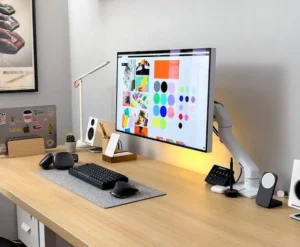
Screen layout can affect how quickly attention goes away from the activity. Switching is easy at a workspace with dynamic panels, notifications, communication streams, and unrelated apps.
Simplifying the setting can highlight the task. Display only the applications needed for the current activity and hide other information. Keeping everything hidden is not mandatory. It means decreasing simultaneous signals.
A report writer may need a document editor and a few reference sources. Chat apps and email clients can be used whilst writing, but they don’t need to be the main focus. Physically arranging digital tools can help manage productivity. Esthetic simplicity is not the goal. It reduces unwanted task changes.
Technology Should Eliminate Switching, Not Increase It.
Technology can worsen multitasking or lessen it if handled properly. Automated reminders, scheduled reports, repeating tasks, filters, templates, and simple workflows reduce daily decisions.
Instead of constantly checking a monthly report’s deadline, an automatic reminder can appear. Templates can structure routine tasks without the need to manually seek for the same information. An alert can notify the relevant person only when an incident occurs instead of continuously monitoring a system.
The useful question is not whether a digital gadget can send more notifications or offer more functions. Better to ask if it distracts users from work. Good automation conducts predictable tasks quietly. Poorly constructed ones generate more alarms to monitor.
Know When Multitasking Is Necessary
The idea that people should never switch tasks is ridiculous. Interruptions, conversations, unanticipated issues, and changing priorities are part of real work.
Customer-service agents may need to switch between inquiries quickly. A manager may need to address an urgent issue while writing a report. A technician may monitor multiple systems. Switching is part of the job, not a concentration problem.
Identifying necessary and unneeded switching is helpful. Required changeover meets work needs. Notifications, open tabs, habits, and curiosity promote unnecessary switching. Not eliminating flexibility is the goal. To reduce useless switching.
Change One Digital Habit Before Redesigning Everything
Digital multitasking can be reduced without ditching apps or establishing a sophisticated productivity system. Start with the most problematic interruption.
One person may check email constantly. Others may use workplace chat notifications. Someone may waste time with dozens of irrelevant browser tabs. Instead of applying the same productivity strategy to everyone, the answer should address the disruption.
Change one habit for a week. Turn off notifications while working. Check messages periodically. Keep one task visible while working. Instead of keeping saved data in browser tabs, organize it. Check the result. Did essential work get easier? Did corrections drop? Did you open documents and recall where you left off less? Small changes reveal which digital habits waste time.
The Real Goal Is Switching Less, Not Doing Less
Digital tools allow one-screen management of massive volumes of data. That convenience is valuable, but having everything at once doesn’t mean it deserves attention. Digital multitasking becomes costly when quick switching becomes a habit. Every interruption might leave unfinished thoughts, forgotten information, open decisions, and little corrections. Over a day, those fragments can take longer than the original duties.
Better digital workflows allow vital work to evolve without ignoring disruptions. It selectively notifies, organizes comparable activities, reminds of predictable chores, and displays the current priority. The digital environment isn’t 100% quiet. More deliberate. Technology is available when needed, but it no longer decides what needs attention every few minutes.
FAQs
1. Does multitasking always reduce efficiency?
Not necessarily. Some jobs require people to focus on multiple activities simultaneously or handle constantly changing situations at the same time. The main issue is unnecessarily switching between tasks that require different levels of attention. The more demanding the task, the more valuable uninterrupted time becomes.
2. Why do notifications exacerbate multitasking?
Notifications introduce new information at unpredictable moments and can prompt people to interrupt their current workusers perceive many notifications as urgent, they, users spend more time deciding which ones to check and when to return to their original task.
3. Should I close all browser tabs?
Not necessarily. Tabs can be useful for research or complex projects. The problem arises when they become a permanent collection of unfinished tasks and information. Store useful material in the appropriate places and close tabs that no longer serve a clear purpose.
4. How can I reduce digital multitasking without missing important information?
Separate urgent communication from routine communication. Enable notifications for truly urgent situations and check less urgent channels at scheduled intervals. Clearly defining team expectations regarding response times can also reduce the pressure to check every message immediately.
5. Can automation reduce digital multitasking?
Yes. Automated reminders, scheduled reports, templates, recurring tasks, and event-triggered alerts can all reduce the burden of repetitive checks. The greatest impact of automation is that it reduces the need for human attention, rather than creating new streams of notifications.