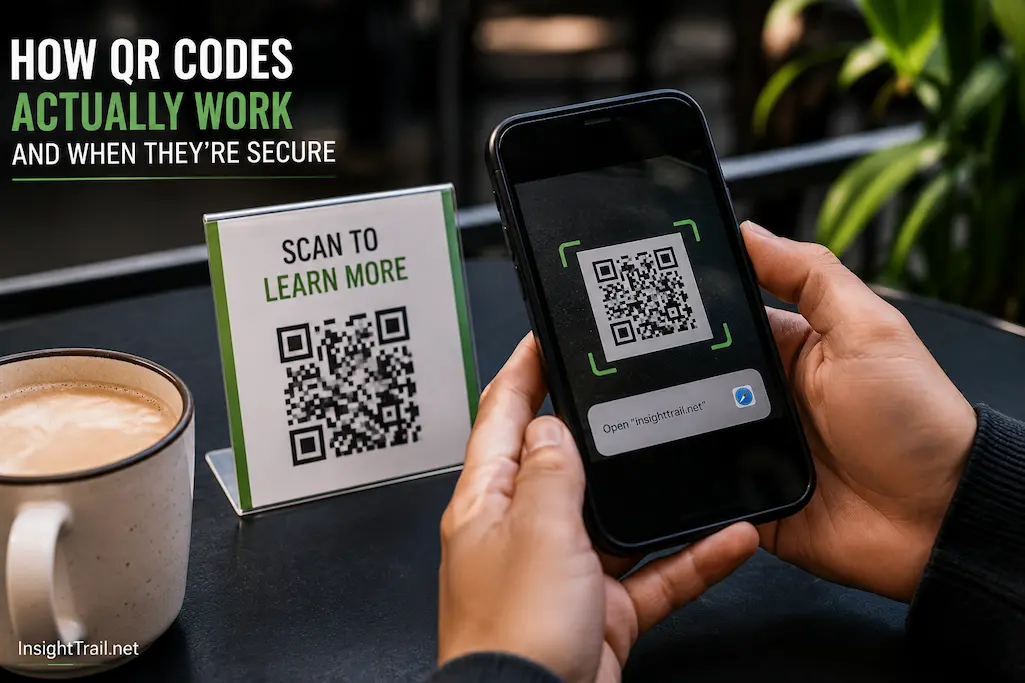
You walk into a café, point your phone at a small square printed on the table, and the menu appears instantly. Later that day, you scan another code to join a Wi-Fi network without typing a password. At a store, someone pays by scanning a code displayed on a payment terminal. In each situation, the process feels almost effortless, yet the same simple pattern of black and white squares performs entirely different tasks.
QR codes have become so familiar that many people rarely stop to consider how they work. Unlike traditional barcodes, which mainly identify products, QR codes can hold many different kinds of information and can be read quickly from multiple angles. Their flexibility has made them common in transportation, retail, education, healthcare, business cards, event tickets, and countless everyday situations.
Understanding how QR codes function makes them much less mysterious. It also helps explain why they continue working even when slightly damaged and why the most significant security risks usually come from the information they contain rather than the code itself.
A QR Code Is Simply Another Way of Storing Data
At first glance, a QR code appears to be a random arrangement of black and white squares.
In reality, every square is part of a carefully organized system for representing digital information.
Computers only understand binary data—combinations of zeros and ones. A QR code turns text, numbers, web addresses, and other information into a pattern that cameras can see and software can read.
Instead of typing information manually, the camera captures the pattern, and decoding software translates those tiny squares back into usable data within a fraction of a second.
The QR code itself does not perform any action. It simply stores information in a format that machines can read efficiently.
A diagram showing how text is converted into binary data and then arranged into a QR code would help readers visualize this process.
Why QR Codes Look Different From Traditional Barcodes
Most people first encountered barcodes while shopping.
Traditional barcodes consist of vertical lines that represent numbers. They work well for identifying products because they usually store relatively small amounts of information.
QR codes were designed to solve a different problem.
Instead of storing information in only one direction, they organize data both horizontally and vertically. This two-dimensional structure allows them to contain much more information within a relatively small space.
The additional capacity means a QR code can store website addresses, contact details, Wi-Fi credentials, calendar events, payment information, and many other types of digital content.
This flexibility explains why QR codes are used in situations where ordinary barcodes would not provide enough storage.
Those Three Large Squares Serve an Important Purpose
One of the most recognizable features of a QR code is the large square found in three of its corners.
These shapes are not decorative.
They help the scanning device immediately recognize that it is looking at a QR code rather than another pattern.
When a smartphone camera detects these positioning markers, it can determine the code’s orientation even if it is rotated, tilted, or viewed from an angle.
Once these reference points have been identified, the decoding software calculates the remaining grid and begins reading the stored information.
Without these positioning markers, scanners would have much greater difficulty locating and interpreting the code accurately.
This clever design contributes significantly to the speed and reliability of QR code scanning.
The Small Squares Represent Digital Information
The remainder of the QR code consists of many smaller black and white squares known as modules.
Each module contributes to the encoded information.
Although the arrangement may appear random to people, it follows precise mathematical rules that determine where different pieces of information should be placed.
The encoding process also includes formatting information that tells the scanner how the data has been organized and how any errors should be corrected if parts of the code cannot be read clearly.
This structured arrangement allows scanners to interpret QR codes consistently regardless of who created them or which application generated them.
The pattern therefore represents carefully organized data rather than a random collection of shapes.
Your Phone Does More Than Take a picture.
Scanning a QR code involves much more than capturing an image.
First, the camera identifies the code within the surrounding scene. It separates the code from the background, detects its edges, and compensates for rotation or perspective if necessary.
Next, the decoding software analyzes the positioning markers, calculates the internal grid, and reads the individual modules.
Finally, the extracted information is converted back into useful data such as a web address, text message, Wi-Fi password, or contact card.
This entire process usually takes less than a second on modern smartphones.
Today’s camera applications on Android and iPhone often include QR recognition directly, eliminating the need for separate scanning software in many situations.
Why Damaged QR Codes Can Still Be Read
One of the most impressive characteristics of QR technology is its ability to continue functioning even after suffering minor damage.
A printed code may become scratched, folded, stained, or partially covered by a sticker while remaining completely usable.
This reliability comes from a technique known as error correction.
Instead of storing only the original information, the QR code also contains additional data that helps reconstruct missing portions if some modules become unreadable.
The scanner compares the available information with these built-in correction patterns to recover data that has been partially lost.
The amount of damage a QR code can tolerate depends on how much error correction was included when it was created.
Higher levels of protection increase reliability but also reduce the amount of space available for storing actual information.
QR Codes Can Store Much More Than Website Links
Many people associate QR codes almost exclusively with websites.
Although opening web pages is certainly one of their most common uses, they are capable of storing many different kinds of information.
For example, a QR code can contain plain text, phone numbers, email addresses, digital business cards, geographic coordinates, calendar invitations, payment instructions, or Wi-Fi network settings.
When scanned, the phone determines what type of information has been encoded and presents the appropriate action.
If the code contains contact information, the device may offer to save a new contact. Should the code contain Wi-Fi credentials, the phone may prompt you to join the network. If it stores a web address, the browser can open the corresponding page.
The QR code itself remains simply a storage method. What happens afterward depends entirely on the information it contains.
| Common QR Code Use | Stored Information | Typical Result After Scanning |
|---|---|---|
| Website | URL | Opens a webpage in the browser |
| Wi-Fi Sharing | Network name and password | Offers to join the wireless network |
| Digital Business Card | Contact details | Saves contact information |
| Mobile Payments | Payment data | Opens a payment application |
| Event Ticket | Ticket identifier | Verifies entry at the venue |
| Authentication | Verification token | Confirms identity during sign-in |
Static and Dynamic QR Codes Are Not the Same
Not every QR code behaves identically after it has been created.
Some are static, meaning the information stored inside the code never changes. If a website address is encoded directly, that exact address remains part of the QR code permanently.
Others are dynamic.
Instead of containing the final destination itself, they often point to an intermediate service that can redirect users elsewhere. This allows organizations to update the destination later without printing a new QR code.
Dynamic QR codes are particularly useful for marketing campaigns, restaurant menus, event information, and business materials where the linked content may change over time.
Understanding this distinction also helps explain why some printed QR codes continue working even after someone has updated the information behind them.
A QR Code Is Neutral—The Destination Deserves Your Attention
A QR code is often mistaken for something that can be dangerous on its own.
In reality, the pattern of black and white squares is simply a method of storing information. It cannot install software, steal personal data, or infect a device merely because it has been scanned.
The important question is what happens after the information has been decoded.
If the code contains a legitimate website, your browser opens that page. Your phone may offer to connect to the network if the code contains Wi-Fi credentials. rk. If it stores payment information, a payment application may launch to complete the transaction.
The risks arise from the destination or action rather than from the QR code itself.
Understanding this distinction helps separate the technology from the content it delivers.
Why Criminals Sometimes Use QR Codes
As QR codes have become more common, they have also attracted the attention of cybercriminals.
Instead of sending suspicious links by email or text message, attackers may print or distribute QR codes that direct people to fraudulent websites. This technique is sometimes called QR code phishing, or quishing.
For example, someone could place a fake QR code sticker over a genuine payment code in a public location. When scanned, the replacement code might direct users to a fraudulent payment page instead of the intended business.
Similarly, a QR code in an unexpected email may lead to a website designed to imitate a trusted organization and collect login credentials.
The QR code itself is not malicious. It simply makes it easier to hide the destination until the code is scanned.
Modern Smartphones Include Several Safety Measures
Both Android and iPhone have gradually improved the way they handle QR codes.
Rather than immediately opening every scanned link without warning, modern devices often display the destination before taking action. This gives users an opportunity to confirm whether the address appears familiar and trustworthy.
Browsers also contribute additional protection by identifying many known malicious websites and displaying security warnings when appropriate.
These safeguards reduce risk, but they do not replace careful judgment. A convincing fraudulent website may still appear legitimate if users do not examine the address carefully before entering sensitive information.
Technology provides assistance, but informed decisions remain an important part of staying safe.
Public Locations Require Extra Attention
QR codes appear almost everywhere today, including restaurants, parking meters, transportation systems, hotels, advertisements, and retail stores.
Most of these are perfectly legitimate.
However, public locations also make it easier for someone to replace or cover an existing code with another one.
Before scanning, take a moment to look at the printed material. Does the sticker appear to have been placed over another code? Does the surrounding sign look professionally produced? Is the QR code located where you would reasonably expect it?
These small observations often provide valuable context before any information is exchanged.
Being attentive does not mean becoming suspicious of every QR code. It simply encourages the same level of caution most people already use before clicking unfamiliar links online.
Businesses Benefit From Using QR Codes Responsibly
Organizations increasingly rely on QR codes because they simplify many everyday tasks.
Restaurants reduce the need for printed menus. Event organizers issue digital tickets. Retailers connect customers to product information. Businesses share contact details without requiring manual typing.
To maintain trust, however, businesses should make it clear where a QR code leads.
Including a recognizable company name, a brief description, or nearby instructions helps users understand what they can expect after scanning.
Regularly checking printed QR codes is also worthwhile. Damaged signs, faded printing, or unauthorized stickers can create confusion even when the original code remains legitimate.
Good implementation is not only about convenience but also about maintaining user confidence.
| Situation | Lower Risk Practice | Higher Risk Situation |
|---|---|---|
| Restaurant menu | Official code printed on the table or receipt | Sticker covering another QR code |
| Payment | Scan code displayed by the verified business | Payment code attached to an unofficial notice |
| QR code from an expected and trusted sender | Unexpected code asking for urgent account verification | |
| Public poster | Clearly branded organization with matching website | No branding or unfamiliar destination |
| Wi-Fi connection | Code provided directly by the venue | Random code posted without explanation |
| App download | QR code from the developer’s official website | Code from an unknown advertisement or social media post |
Small Habits Can Make QR Code Use Safer
Safe scanning usually depends on routine habits rather than advanced technical knowledge.
When possible, read the web address before opening it. If the destination appears to be unrelated to the place where you found the QR code, take a moment to pause before continuing.
Avoid entering passwords, payment information, or personal details unless you are confident that the website belongs to the expected organization. Secure websites should also use encrypted connections, indicated by https:// and the browser’s security indicators.
Keeping your phone’s operating system and browser updated provides another layer of protection because you regularly receive security improvements.
These simple practices require only a few extra seconds but significantly reduce the likelihood of interacting with fraudulent content.
Common Misunderstandings About QR Codes
Several misconceptions continue to circulate about QR technology.
One common belief is that QR codes themselves can contain viruses. In reality, a QR code stores information rather than executable software. Any risk comes from the destination or action that follows the scan.
Another misunderstanding is that every QR code opens a website. Many contain entirely different types of information, including contact details, Wi-Fi settings, payment instructions, calendar events, or authentication data.
Some people also assume damaged QR codes will never work. Thanks to built-in error correction, many remain readable even after part of the printed pattern has been scratched, folded, or partially obscured.
Understanding these details helps users evaluate QR codes more accurately instead of relying on assumptions.
Conclusion
QR codes have become a practical bridge between the physical and digital worlds because they enable quick information sharing without requiring manual typing. Behind their simple appearance is a carefully designed system that stores data efficiently, supports error correction, and enables reliable scanning from many different angles.
Their widespread use in payments, transportation, business cards, Wi-Fi sharing, and online services demonstrates how flexible the technology has become. At the same time, understanding that a QR code is only a container for information—not the source of any potential threat—makes it easier to use them confidently.
By paying attention to where a code comes from, checking destinations before interacting with them, and following sensible security habits, most people can enjoy the convenience of QR codes while avoiding the common risks associated with fraudulent links and deceptive websites.