A remote workspace rarely becomes cluttered overnight. It usually starts with one extra messaging app, a few browser tabs left open for tomorrow, another cloud storage account for a client, and several desktop shortcuts that seem useful at the time. Weeks later, the computer feels busy before any real work has even begun. Notifications compete for attention, files are difficult to locate, and every project seems scattered across multiple applications.
Unlike physical clutter, digital clutter is easy to ignore because it occupies almost no visible space. Hundreds of files fit inside a folder. Dozens of applications can remain installed without filling a desk. Browser tabs stay hidden until they become impossible to manage. Yet the absence of physical mess does not mean the workspace is organized. Every unnecessary notification, duplicate file, and unused application increases the number of decisions the brain has to make throughout the day.
Digital minimalism is about more than just using fewer applications or rejecting technology. It is the practice of keeping only the digital tools, information, and workflows that genuinely support your work while reducing everything that competes for attention without adding meaningful value. For remote workers, where the computer is both the workplace and the communication hub, this approach can make daily work feel more structured and less mentally demanding.
The Real Challenge Is Managing Attention, Not Managing Devices
People often assume they lose focus because they have too much work to do. In many cases, people divide their attention long before meaningful work begins.
A typical remote work session might involve checking email, responding to instant messages, reviewing a shared document, joining a video meeting, opening project management software, searching cloud storage, and monitoring calendar reminders. All of these activities can be productive, but switching between them repeatedly makes it harder to stay immersed in any one task.
Psychologists sometimes refer to this as attention residue. Even after moving to a new task, part of the mind continues processing the previous one for a short period. The more frequently attention shifts, the more difficult it becomes to work deeply on complex problems.
Digital minimalism addresses this issue by reducing unnecessary switching rather than simply encouraging people to work harder. The objective is to create an environment where the tools needed for today’s work are immediately available while everything else quietly stays out of the way.
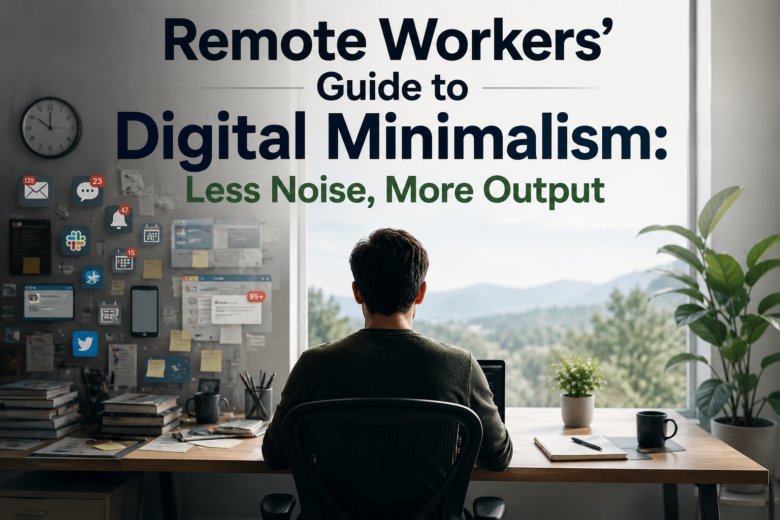
A simple illustration comparing a cluttered digital workspace with a streamlined one would help readers visualize how reduced distractions improve focus.
Every Application Should Have a Clear Purpose
Many remote workers install software gradually as new projects appear. A note-taking application solves one problem, a file-sharing service solves another, and eventually several programs begin performing nearly identical tasks.
This overlap creates uncertainty. A document might exist in two cloud storage services. Meeting notes could be spread across multiple applications. Team discussions may happen in email, chat, and project comments simultaneously. Finding information becomes more difficult not because it is missing, but because there are too many possible locations.
One useful way to evaluate digital tools is to assign each one a clearly defined role. For example, one application may exist solely for communication, another for project planning, another for document storage, and another for personal note-taking. Once you establish those boundaries, deciding where new information belongs becomes much easier.
This approach also simplifies onboarding for new team members. Instead of explaining dozens of exceptions, you can describe a straightforward system where every category of information has a predictable home.
A Cleaner Desktop Reduces More Than Visual Clutter
Desktop icons often become temporary storage for files that need attention later. Over time, “temporary” documents remain for months, mixed with screenshots, downloaded PDFs, installation files, and miscellaneous folders.
Although modern operating systems can handle large numbers of desktop items without major performance issues, the visual effect is worth considering. Every time the desktop appears, those unfinished tasks quietly compete for attention. Even if you ignore them consciously, they contribute to the feeling that work is incomplete.
A more sustainable approach is to treat the desktop as a short-term workspace rather than permanent storage. Files currently being used can remain there temporarily, but completed work should move into structured folders or cloud storage.
This habit has another advantage. If you need to switch computers or restore files from backups, organized folders are much easier to manage than hundreds of unrelated desktop items scattered across different locations.
Notifications Should Reflect Priorities Instead of Software Defaults
Nearly every application requests permission to send notifications. Calendar reminders, collaboration platforms, browsers, cloud storage services, social media applications, operating system updates, and even shopping websites compete for the same attention.
The problem is that software developers naturally want users to notice their applications. As a result, default notification settings often favor visibility rather than productivity.
Instead of accepting these defaults, remote workers benefit from reviewing which alerts truly require immediate action. A meeting reminder scheduled for the next ten minutes may deserve an interruption. A notification that someone reacted to a message with an emoji probably does not provide useful information.
Many operating systems also provide focus modes or notification scheduling features. These allow alerts to be grouped, delayed, or temporarily silenced during periods of concentrated work while still permitting urgent communications from selected contacts or applications.
Reducing notifications is not about disconnecting from colleagues. It is about ensuring that interruptions happen for meaningful reasons instead of because every application considers its updates equally important.
Browser Habits Shape the Entire Workday
Remote work often happens inside a web browser for hours at a time. Project management platforms, email, document editing, customer support systems, cloud storage, and research all compete for browser space.
When tabs accumulate without structure, finding the right page becomes increasingly difficult. Important documents disappear among dozens of unrelated websites, leading many people to open duplicate tabs simply because locating the original takes too long.
Instead of treating every open tab as a reminder, it helps to think of tabs as active work rather than as long-term storage. Pages needed today remain open, while resources that may be useful later belong in bookmarks, reading lists, or note-taking systems.
Some browsers also support tab grouping, workspace organization, and automatic suspension of inactive tabs. Used thoughtfully, these features reduce visual clutter without forcing users to close ongoing projects.
The broader principle remains the same: information should be easy to find because it is organized, not because everything remains open indefinitely.
File Organization Works Best When It Mirrors Real Projects
Many folder structures become complicated because they attempt to anticipate every possible future need. Deep hierarchies with dozens of nested folders often look organized initially but require excessive navigation during everyday work.
Project-based organization tends to remain easier to maintain. Instead of sorting documents primarily by file type, they can be grouped according to the work they support. Contracts, meeting notes, designs, spreadsheets, and correspondence related to the same project remain together even though they are different kinds of files.
Consistent naming conventions also matter more than many people realize. A filename such as ClientA_Proposal_2026-07-19 communicates far more than FinalVersion3, particularly several months later when dozens of similar documents exist.
Cloud storage platforms make the situation even more valuable because searchable, descriptive filenames reduce the need to remember exactly where a document was saved.
Too Many Communication Channels Create Hidden Work
Communication overload is not always caused by the number of messages received. Frequently, it results from uncertainty about where conversations are taking place.
Imagine a remote team where urgent questions arrive through instant messaging, project updates appear inside task management software, formal decisions remain in email, and quick discussions happen during video meetings. Employees spend as much time checking communication channels as responding to them.
Digital minimalism encourages teams to simplify these expectations. Different communication methods should exist for different purposes rather than competing with one another.
For example, project-specific discussions might remain inside the project workspace, while direct messaging is reserved for brief questions requiring immediate clarification. Formal approvals could stay within documented project systems instead of being scattered across chat conversations.
This consistency reduces the mental effort involved in simply locating information, so you can focus more of your attention on the work itself.
Simplicity Should Never Come at the Cost of Security
Reducing digital complexity does not mean removing important security practices because they appear inconvenient.
Some users are tempted to simplify their workflow by reusing passwords, disabling multi-factor authentication, or storing confidential information in easily accessible locations. While these decisions may reduce short-term friction, they increase long-term risk considerably.
True digital minimalism removes unnecessary complexity while preserving essential safeguards. Password managers, encrypted cloud storage, automatic software updates, and secure authentication methods may require small adjustments initially, but they ultimately reduce the burden of remembering credentials and recovering from preventable security incidents.
A focused workspace should feel easier to use because unnecessary distractions have been removed—not because important protections have been abandoned.
Small Daily Habits Shape the Workspace More Than Occasional Cleanups
Many people schedule a large digital cleanup every few months. They organize folders, uninstall old software, archive documents, and close hundreds of browser tabs. The computer feels noticeably better afterward, but within a few weeks the same clutter often returns.
The reason is simple. Digital organization is influenced far more by daily habits than occasional maintenance. Saving every downloaded file to the desktop, leaving completed projects mixed with active work, or postponing decisions about where information belongs gradually recreates the same disorder.
A more sustainable approach is to spend a few minutes at the end of each workday resetting the workspace. Close browser tabs that are no longer needed, move finished documents into their proper folders, clear temporary downloads, and review tomorrow’s priorities. These small actions require very little time, yet they prevent digital clutter from accumulating to the point where a major cleanup becomes necessary.
The goal is not perfection. It is simply to begin each workday in an environment that feels organized rather than unfinished.
Automation Can Remove Repetition Without Adding Complexity
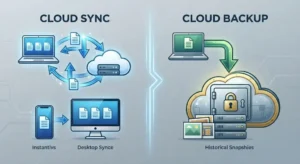
Automation is often associated with advanced workflows and sophisticated software, but many useful forms of automation are surprisingly simple. Automatically saving screenshots to a dedicated folder, syncing work documents to cloud storage, or organizing incoming email with rules can remove repetitive tasks without changing how you work.
The challenge is knowing when to stop. Every automated process introduces another layer that must be understood and maintained. If files begin moving between several applications automatically, troubleshooting becomes difficult when something unexpected happens.
For most remote workers, the most effective automation is also the easiest to explain. If someone else cannot understand what the automation does after a brief explanation, it may be more complicated than necessary.
A practical guideline is to automate repetitive work that follows the same predictable pattern every time. Decisions that require judgment are usually better left to people than software.
The Workspace Should Support Different Types of Work
Not every task demands the same environment. Writing a detailed proposal requires a different level of concentration than replying to customer emails or attending team meetings. Treating every activity the same often leads to unnecessary interruptions.
Many experienced remote workers create informal “work modes.” During focused work, communication applications remain minimized, notifications are limited, and only project-related resources stay visible. Administrative tasks such as answering messages, organizing files, or reviewing calendars are grouped into separate periods rather than interrupting concentrated work throughout the day.
This approach reduces the constant switching that makes remote work feel fragmented. Instead of moving between unrelated activities every few minutes, similar tasks are completed together while the necessary tools remain readily available.
Digital minimalism is not about removing flexibility. It is about designing the workspace so that it matches the type of work being done instead of demanding attention from every direction at once.
Remote Teams Benefit From Shared Organizational Standards
A personal workspace can reflect individual preferences, but collaboration introduces another consideration. If every team member stores files differently, names documents inconsistently, or uses separate communication habits, finding information becomes increasingly difficult as projects grow.
Shared conventions help prevent this confusion. Teams do not need rigid rules for every situation, but agreeing on a few consistent practices makes collaboration much smoother. Project folders, document names, meeting notes, and task updates become easier to locate because everyone follows similar patterns.
This consistency also benefits new employees. Instead of learning a different system from each colleague, they encounter a workspace that behaves predictably regardless of the project they join.
The purpose of these standards is not to restrict creativity. They simply remove unnecessary uncertainty so people can focus on meaningful work rather than searching for information.
Knowing When Minimalism Has Gone Too Far
There is a common misconception that a minimalist workspace should contain as little as possible. In practice, removing too much can become just as unhelpful as keeping everything.
Deleting documents that may still be needed, uninstalling useful software simply to reduce the number of applications, or hiding important shortcuts in the name of simplicity often creates additional work later. Likewise, disabling every notification may result in missed deadlines or delayed responses to colleagues.
Digital minimalism should be measured by usefulness rather than appearance. A workspace containing ten carefully chosen applications may be more efficient than one with four applications that cannot adequately support daily responsibilities.
The same principle applies to files. Keeping reference material that is regularly consulted is not clutter. It becomes clutter only when outdated, duplicated, or irrelevant information makes current work more difficult.
Finding the right balance requires occasional reflection. If removing something creates more friction than leaving it in place, it probably still serves a purpose.
Periodic Reviews Keep the System Relevant
Even well-organized workspaces gradually drift away from the way people actually work. Projects change, clients come and go, new software is introduced, and responsibilities evolve over time.
Rather than waiting until the workspace feels overwhelming, schedule regular reviews. Every few months, examine the applications you use, the folders you maintain, and the communication channels you rely on. Ask whether each one still contributes to your work or whether it remains only because it was useful in the past.
The same review can include browser bookmarks, saved templates, cloud storage folders, and recurring notifications. Small adjustments made regularly are easier than rebuilding the entire digital environment after years of accumulated changes.
This process is less about cleaning and more about adaptation. A productive workspace should evolve alongside your work instead of remaining fixed while your responsibilities change.
| Workspace Element | A Minimalist Approach | Why It Helps |
|---|---|---|
| Applications | Keep tools with clearly defined roles | Reduces overlap and decision fatigue |
| Desktop | Reserve for active work only | Minimizes visual distractions |
| Notifications | Enable only meaningful alerts | Protects concentration during focused work |
| Browser Tabs | Keep only current tasks open | Makes information easier to locate |
| Files | Organize around projects with consistent names | Simplifies searching and collaboration |
| Communication | Use each channel for a specific purpose | Prevents fragmented conversations |
A Focused Workspace Is Built Through Intentional Choices
Digital minimalism is often misunderstood as an effort to own fewer devices or avoid modern technology. In reality, it is about making deliberate choices instead of allowing software, notifications, and accumulated digital habits to shape the workday automatically.
Every application, folder, browser tab, and notification competes for a small amount of mental attention. Individually, these demands may seem insignificant. Together, they influence how easily work begins, how often concentration is interrupted, and how much time is spent searching rather than creating.
The most effective remote workspaces are rarely those with the newest software or the largest collection of productivity tools. They are environments where information has a logical place, communication follows predictable patterns, and technology supports work without constantly asking for attention.
Conclusion
Digital minimalism is not a one-time cleanup or a rigid set of rules. It is an ongoing approach to designing a digital workspace that makes everyday work simpler rather than busier. By reducing unnecessary applications, organizing files around real projects, limiting interruptions, and giving each tool a clear purpose, remote workers can create an environment that supports sustained concentration instead of competing for it.
The process does not require abandoning technology or dramatically changing established routines. In many cases, the biggest improvements come from small, consistent decisions—closing projects that are finished, reviewing notifications, simplifying communication channels, and organizing information before it becomes difficult to find.
A focused workspace allows technology to become less noticeable. When the digital environment is thoughtfully organized, attention naturally shifts away from managing software and back toward completing meaningful work.
Frequently Asked Questions
1. Is digital minimalism the same as deleting most of my apps?
No. Digital minimalism is about keeping tools that provide clear value while removing unnecessary duplication and distractions. The goal is a more intentional workspace, not simply fewer applications.
2. How often should I organize my digital workspace?
Small daily habits are usually more effective than occasional large cleanups. A brief review at the end of each workday, combined with a more thorough review every few months, helps keep the workspace organized.
3. Can digital minimalism improve remote team collaboration?
Yes. Clear communication channels, organized files, and consistent workflows make it easier for team members to find information and understand ongoing work without unnecessary interruptions.
4. What is the biggest mistake people make when trying digital minimalism?
A common mistake is focusing only on appearance. An empty desktop or fewer applications does not automatically improve productivity if important tools or information become harder to access.
5. Should I turn off all notifications?
Not necessarily. Notifications that relate to urgent communication, scheduled meetings, or critical work should remain enabled. The objective is to remove unnecessary interruptions while preserving important alerts.
6. Does digital minimalism work on both Windows and macOS?
Yes. The underlying principles apply regardless of the operating system. Windows, macOS, Linux, ChromeOS, and even mobile devices all provide ways to organize files, manage notifications, and simplify digital workflows.