Some people begin the workday with clear priorities but accomplish surprisingly little by lunchtime. They open the computer, intending to finish a report, answer a few emails first, notice a chat notification, search for a document, check a calendar invitation, and respond to a message on their phone, and suddenly an hour has passed without meaningful progress. None of these actions seem particularly time-consuming on their own, yet together they continuously interrupt concentration.
What makes this frustrating is that the problem often isn’t a lack of motivation or discipline. Instead, the digital workspace itself encourages constant attention shifts. Modern computers and smartphones keep information available at all times, but availability doesn’t always mean usefulness. Every visible notification, unnecessary shortcut, crowded desktop, and permanently open application competes for a small share of your attention.
Building a more focused digital workspace isn’t about making technology less capable. It’s about arranging your digital environment so that it supports the work you want to do instead of constantly inviting you to do something else.
Most Interruptions Begin Before You Notice Them
When people think about distractions, they usually picture an alert appearing on the screen or a phone vibrating on the desk.
Those interruptions certainly matter, but many distractions begin much earlier.
Simply seeing an unread message count, a crowded desktop full of unfinished projects, or dozens of browser tabs can subtly influence attention. Even if you resist opening them, your brain has already acknowledged that they exist. Each visible reminder quietly suggests another task competing for consideration.
Psychologists often describe attention as a limited resource rather than an unlimited supply. Every small decision—whether to ignore an email, postpone a meeting request, or leave a browser tab open for later—uses part of that resource.
A digital workspace filled with constant reminders therefore creates invisible mental work long before any notification demands action.
The Screen Often Reflects the Way Work Is Organized
People sometimes spend hours reorganizing folders while overlooking a more important question: does the screen itself match the way they actually work?
A graphic designer, accountant, university student, software developer, and customer support representative all interact with technology differently. Yet many people inherit the same default desktop layout, browser setup, and application arrangement regardless of their daily responsibilities.
An effective workspace reflects routine tasks rather than software defaults.
Someone who spends most of the day writing may benefit from keeping documents, research materials, and communication tools clearly separated. A video editor might organize projects around active productions instead of file types. A small business owner may prioritize quick access to invoices, customer communication, and financial records.
When the digital environment mirrors real workflows, finding information requires less conscious effort because the organization already supports familiar habits.
Visual Simplicity Reduces More Than Clutter
A crowded desktop is often described as untidy, but its real impact extends beyond appearance.
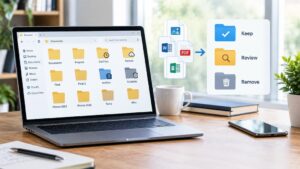
Every icon represents an unfinished possibility. Some icons point to completed projects, others to files needing attention, and many remain because users have postponed deleting or organizing them.
Over time, this collection becomes less of a filing system and more of a visual reminder of accumulated responsibilities.
Reducing visible clutter is not about achieving a perfectly minimalist desktop. Instead, it helps remove unnecessary decisions that would otherwise compete for attention throughout the day.
The same principle applies to browser bookmarks, application menus, download folders, and overflowing taskbars. Simplicity reduces the number of unrelated choices competing for your focus.
A before-and-after illustration comparing a cluttered desktop with a thoughtfully organized workspace would complement this section well.
Every Open Window Has a Mental Cost
Modern computers encourage multitasking.
Large monitors, multiple displays, virtual desktops, and tabbed browsing make it technically easy to keep dozens of applications available simultaneously.
The challenge is that accessibility often encourages unnecessary switching.
A messaging application sitting beside a spreadsheet may tempt you to check conversations during moments of uncertainty. Browser tabs containing unrelated research, shopping pages, news articles, or social media remain visible reminders of activities unrelated to the current task.
Even when no interaction occurs, these open windows continue occupying part of your attention because they represent options that remain available.
Closing unnecessary windows does not reduce your ability to work. It simply narrows the range of competing choices presented by the screen.
The Tools You Need Should Be Easier to Reach Than the Ones You Don’t
Digital workspaces often grow gradually.
Over months or years, you install applications, accumulate browser bookmarks, multiply shortcuts, and crowd menus with software that you rarely use.
Eventually, frequently used tools become buried among applications that are opened only a few times each year.
Reorganizing these elements according to actual usage rather than installation date can make everyday work noticeably smoother.
Programs used every morning deserve prominent positions on the taskbar or dock. Frequently visited websites belong in accessible bookmark folders. Documents that support current projects should be easier to locate than archived material.
This approach reduces friction because the computer begins anticipating routine activities instead of forcing repeated searches.
Constant Availability Is Not the Same as Productivity
Many workplace applications encourage immediate communication.
Email clients refresh continuously. Team messaging platforms display typing indicators, presence information, and unread counters. Calendar applications generate reminders throughout the day.
These features improve collaboration, but they can also create an expectation that every message deserves an immediate response.
In practice, not every notification carries the same urgency.
Separating truly important alerts from routine updates allows communication to remain effective without continuously interrupting concentrated work.
For many people, checking messages intentionally at appropriate intervals proves more productive than responding the moment every notification appears.
The objective is not slower communication but more deliberate attention.
Switching Between Different Types of Work Has Hidden Costs
Imagine spending fifteen minutes reviewing financial data before immediately changing to creative writing, then responding to customer emails, returning to spreadsheets, and finally attending a video meeting.
Each activity requires different information, different priorities, and a different way of thinking.
Although changing applications takes only seconds, changing mental context often takes considerably longer.
Researchers frequently describe this as context switching—the process of redirecting attention from one type of work to another.
The greater the differences between tasks, the more time the brain may need to regain full concentration after each interruption.
A digital workspace that groups similar activities together naturally reduces these transitions and allows attention to remain focused for longer periods.
Devices Should Complement Each Other Instead of Competing
Many people now work across multiple devices throughout the day.
A laptop handles detailed tasks, a smartphone manages communication, and perhaps a tablet is used for reading or meetings.
Problems arise when every device attempts to display every notification, every reminder, and every incoming message simultaneously.
Rather than creating convenience, this duplication multiplies interruptions.
Assigning different roles to different devices often creates a calmer working environment. The computer can remain focused on primary work, while the phone handles urgent communication and the tablet supports reading or presentations.
Each device becomes part of a coordinated system instead of competing for attention with identical information.
Good Systems Depend More on Habits Than Software
People often assume that becoming more organized requires installing another productivity application. Sometimes a new tool helps, but many digital workspaces become complicated because people answer every new challenge by adding another piece of software.
Over time, a computer may contain separate applications for notes, reminders, tasks, calendars, file sharing, communication, screenshots, bookmarks, and project planning. Individually, each serves a useful purpose. Together, they can create uncertainty about where information belongs.
In practice, a smaller number of well-understood tools often supports better concentration than a large collection of overlapping applications. The goal is consistency. When you always know where to find meeting notes and project documents, you spend less time searching and more time working.
A dependable routine is usually more valuable than a constantly changing set of productivity apps.
Attention Improves When Similar Work Stays Together
Not every task requires the same type of thinking.
Writing an article, responding to customer emails, reviewing financial records, attending video meetings, and editing images all demand different levels of concentration. Moving between them every few minutes forces your brain to repeatedly adjust its focus.
One practical approach is to group similar activities into dedicated work periods. For example, answering messages during one part of the morning allows you to reserve the rest of the day. Scheduling meetings back-to-back instead of scattering them throughout the day leaves larger blocks of time available for focused work.
Your digital workspace can reinforce this habit. Open only the applications needed for the task at hand, and close those that belong to a different type of work. This simple change reduces visual distractions and minimizes the temptation to switch contexts unnecessarily.
Notifications Should Reflect Priorities, Not Preferences
Most operating systems and applications enable notifications by default. The assumption is that more information is always better.
In reality, every alert competes with whatever you are doing at that moment.
A useful notification is one that helps you respond to something genuinely important. Everything else can often wait until the next planned review.
For many users, separating notifications into three categories works well:
- Critical alerts that require immediate attention.
- Important updates can wait until you finish the current task.
- Informational notifications that can be omitted from the screen.
Windows, macOS, Android, and iPhone all provide tools for customizing notifications, allowing you to silence certain apps while keeping essential alerts visible.
The objective is not to eliminate communication but to prevent low-priority updates from interrupting high-value work.
Keep Your Workspace Flexible Without Letting It Become Chaotic
No digital workspace remains perfect forever.
Projects change, software evolves, and new responsibilities appear. A layout that worked six months ago may no longer fit your current routine.
Instead of redesigning everything whenever your workload changes, make small adjustments as needed. Archive completed projects, remove shortcuts you no longer use, and update folders to reflect current priorities.
This gradual approach prevents digital clutter from building up while avoiding the disruption of constantly reorganizing your entire system.
Think of your workspace as something that evolves with your work rather than something that must be rebuilt from scratch.
| Workspace Habit | Likely Result |
|---|---|
| Keeping only current project files easily accessible | Faster navigation and fewer distractions |
| Closing unrelated browser tabs | Better concentration and lower mental switching |
| Organizing files by ongoing work instead of random folders | Easier retrieval of important documents |
| Limiting non-essential notifications | Fewer interruptions during focused tasks |
| Using consistent folder names and file locations | Less time spent searching for information |
| Reviewing and organizing your workspace regularly | Prevents gradual accumulation of digital clutter |
Focus Is Easier to Maintain Than to Regain
Many people underestimate how long it takes to recover after an interruption.
A quick glance at a notification rarely lasts more than a few seconds, but returning to the original task often requires rereading documents, recalling previous decisions, and rebuilding the mental context that was temporarily lost.
People repeat this recovery process throughout the day whenever they shift their attention unnecessarily.
A well-designed digital workspace reduces these interruptions before they occur. Instead of relying entirely on willpower to stay focused, it removes many of the triggers that compete for attention in the first place.
Over weeks and months, these small improvements compound. The workspace begins supporting concentration rather than constantly testing it.
The Best Workspace Is the One You Can Maintain
There is no universal layout that works for everyone.
A freelance writer, university student, software engineer, architect, accountant, and small business owner all organize information differently because their work requires different tools and different workflows.
What successful workspaces have in common is not identical folder structures or matching desktop backgrounds. They reduce unnecessary decisions, make important information easy to find, and allow people to begin meaningful work without spending several minutes preparing their environment.
If maintaining your workspace becomes a complicated task in itself, the system is probably more complex than it needs to be.
A well-designed digital workspace should support your work quietly in the background. You should notice the work getting done—not the organization system demanding constant attention.
Conclusion
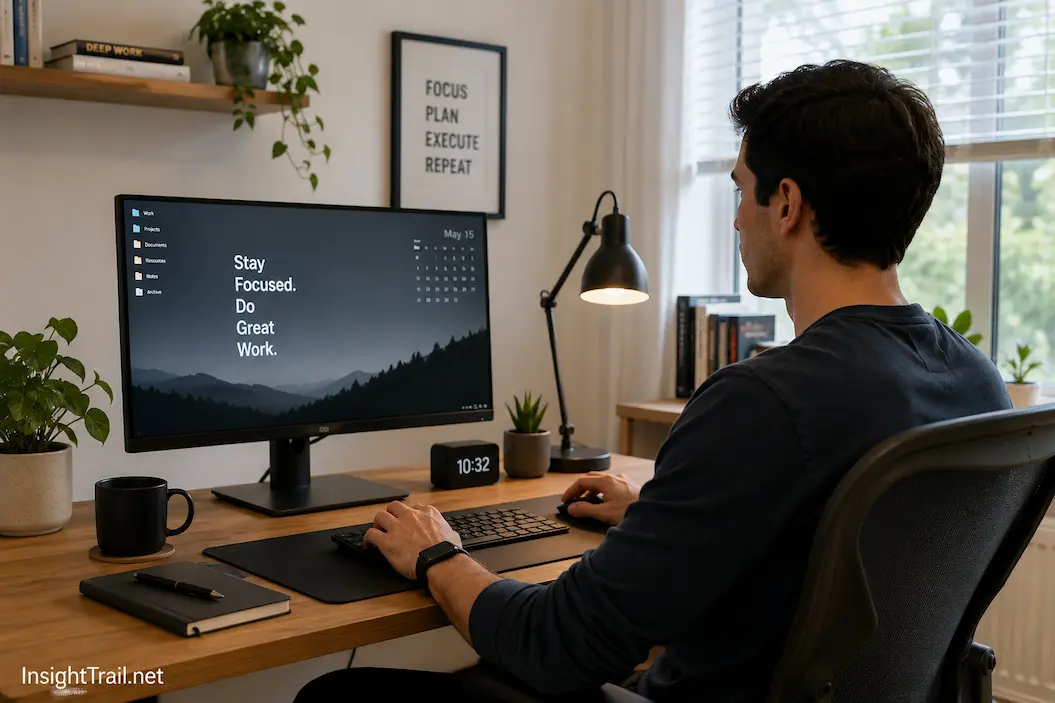
A productive digital workspace is shaped less by aesthetics than by intention. Every visible file, open application, notification, and shortcut influences how easily you can stay focused. When these elements reflect your actual work instead of accumulated habits, everyday tasks become smoother and less mentally demanding.
Rather than searching for a single productivity trick, concentrate on creating an environment that minimizes unnecessary choices. Organize your workspace around the way you work, keep frequently used tools within easy reach, reduce visual clutter, and allow notifications to interrupt only when they truly matter.
The most effective digital workspace is not the one with the fewest icons or the newest software. It is the one that quietly supports your goals, allowing you to spend more time thinking about your work and less time managing the environment in which that work takes place.
Frequently Asked Questions
1. Does a clean desktop really improve productivity?
A cleaner desktop can reduce visual distractions and make important files easier to locate. The most significant benefit comes from reducing unnecessary decisions rather than creating a perfectly empty screen.
2. Should I close browser tabs that I might need later?
If the tabs are unrelated to your current task, closing them or saving them for later can reduce mental clutter. Keeping only relevant tabs open makes it easier to stay focused.
3. Is turning off all notifications a sensible idea?
Not usually. Critical notifications should remain enabled, while less important alerts can often be delayed or disabled to reduce interruptions.
4. How often should I reorganize my digital workspace?
Small, regular maintenance is usually more effective than major reorganizations. Reviewing files and shortcuts every few weeks helps prevent clutter from building up.