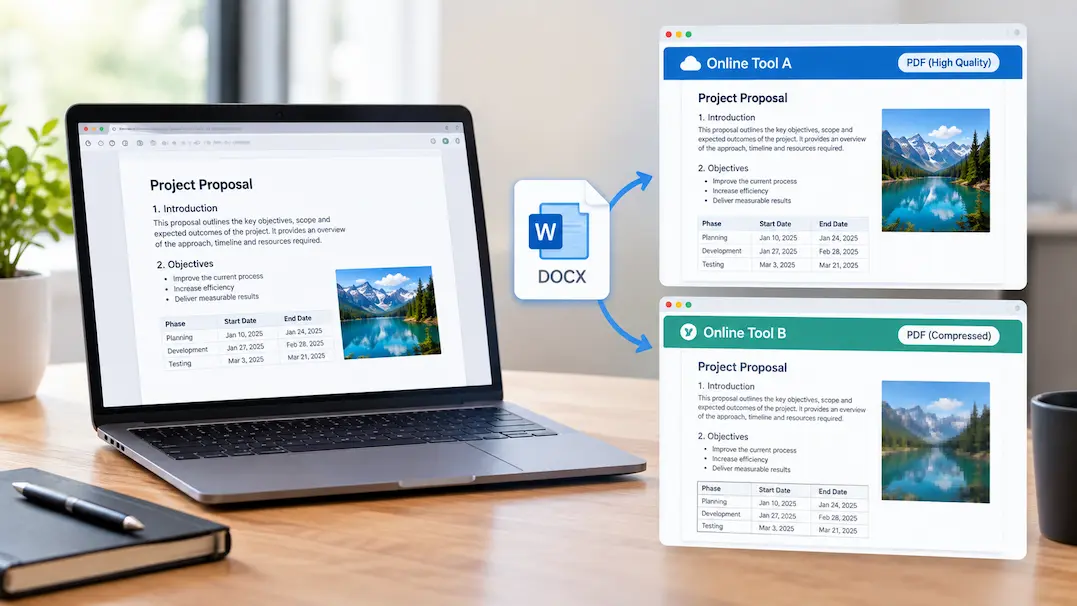
You have a bulky PDF contract, an uncompressed image, or a video that needs converting. You drop it into Online Tool A, and it spits out a pristine, perfectly scaled file. Curious, you drop the exact same source file into Online Tool B—expecting an identical outcome—and watch in confusion as the output comes out completely warped, heavily compressed, or missing elements entirely.
You start to wonder: If both tools claim to do the exact same job, why do they yield completely different results?
The common assumption is that file conversion or online editing is an exact science—like a mathematical equation where 2 + 2 always equals 4. In reality, web tools are miniature software ecosystems running on completely separate server environments. Here is why two online tools can handle the exact same file and give you two entirely different realities.
1. Different Underlying Parsing Libraries (The Engine Room)
When you upload a file to a web tool, the browser doesn’t process it; the server does. And behind that server upload interface lies a proprietary script or library doing the heavy lifting.
-
The Code Discrepancy: If you use two different PDF-to-Word converters, Tool A might be running an open-source parsing library like Poppler, while Tool B uses a proprietary commercial engine.
-
The Result: When parsing complex structures like tables, custom vector fonts, or transparent layers, each engine interprets the raw code differently. One engine will map text blocks cleanly, while the other will treat text fragments as individual floating images, destroying your layout.
2. Hidden Compression and Quantization Thresholds
Many online utilities—especially image compressors, audio converters, and video trimmers—are designed for speed and storage savings rather than precision.
When you click “Convert” or “Optimize,” each platform applies its own hardcoded default settings under the hood:
-
Aggressive vs. Conservative Defaults: Tool A might compress PNG images using a lossless algorithm that preserves every single pixel. Tool B might automatically route the file through a lossy quantization algorithm that strips out color depth to cut file size by 50%.
-
The Catch: Because these compression thresholds are hidden behind a simple “One-Click” interface, you rarely know what compromises the server is making to your data.
3. Metadata Stripping and Color Space Assumptions
Files are packed with invisible metadata—EXIF data, embedded color profiles (ICC profiles), creator tags, and geographic coordinates.
When a file passes through a web tool’s server pipeline, the backend script must decide what to do with that baggage:
-
Tool A might perform a clean strip, dumping all metadata and forcing the output into a generic sRGB color space.
-
Tool B might attempt to preserve every byte of original metadata, sometimes crashing or misinterpreting older profile tags in the process.
This discrepancy is why an image converted on one site retains its rich color grading, while the exact same file converted on another site looks flat or desaturated.
How to Get Consistent Results From Web Tools
If you rely on web utilities for critical projects, you can’t treat them as interchangeable black boxes.
-
Check for Advanced Settings: Always click on “Settings,” “Gear,” or “Options” icons before hitting convert. If a tool hides all its parameters behind a single button, you are flying blind.
-
Use Open-Source Standards: When possible, lean toward tools powered by transparent, well-documented open-source libraries (like FFmpeg for media or Ghostscript for documents) where parameters are predictable.
-
Keep Local Fallbacks: For high-stakes documents, graphics, or code, rely on dedicated local applications installed on your machine rather than rolling the dice with random web browsers.
Frequently Asked Questions (FAQs)
Q: Are my files safe when uploaded to random online conversion tools?
A: Not always. Unless a site explicitly guarantees end-to-end encryption and automatic server-side deletion within an hour, any file you upload can be stored, cached, or scraped by the platform’s backend. Avoid uploading sensitive financial records or private personal data to generic file converters.
Q: Why do some online tools limit file sizes while others are completely free and unlimited?
A: Server processing power isn’t free. Tools with strict file size limits are usually running intensive, high-quality rendering engines on dedicated cloud infrastructure. Tools that accept massive files for free are often cutting corners through aggressive server-side compression or monetizing your uploaded data through advertising trackers.
Q: Can a corrupted file cause two tools to fail in completely different ways?
A: Absolutely. If a file has minor header corruption, robust tools will attempt to repair or gracefully fail with an error message. Fragile or poorly coded web tools will crash silently, outputting a zero-byte file or a broken artifact without warning.